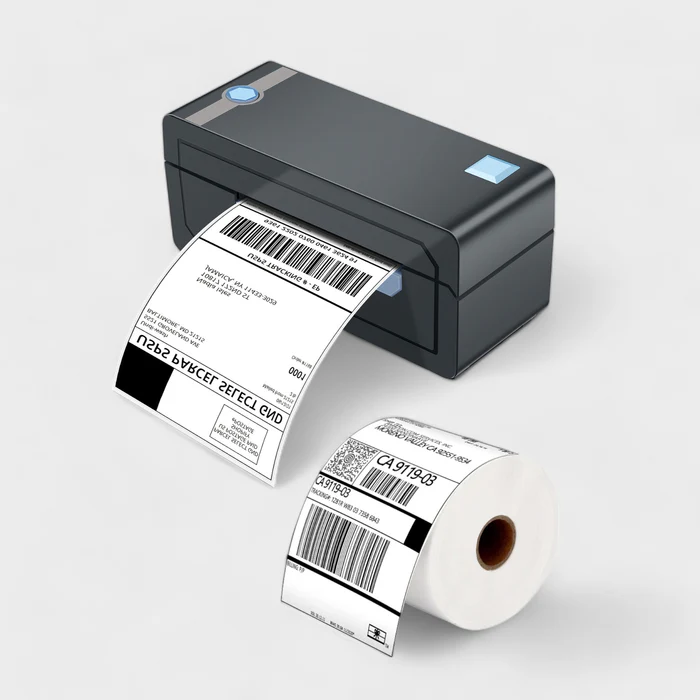
How Online Sellers Can Crop Flipkart, Amazon, and Meesho Shipping Labels Easily
Online selling has grown very fast in recent years. Platforms like Flipkart, Amazon, and Meesho allow anyone to start selling products from home.
But along with orders comes one common problem that almost every seller faces – shipping label printing.
Shipping labels are usually provided as PDF files, and these files often need proper cropping before printing. Manual cropping wastes time and leads to printing errors.
The good news is that sellers can now crop shipping labels online using dedicated tools designed specifically for Indian e-commerce platforms.
Common Shipping Label Problems Faced by Sellers
If you are an online seller, you may have experienced these problems:
- Shipping labels do not fit thermal printers
- Extra white space when printing on A4 paper
- Barcodes getting cut or blurred
- Manual PDF editing taking too much time
- Wrong label size causing courier rejection
These issues slow down order processing and create unnecessary frustration.
Why Proper Label Cropping Is Important
Shipping labels are scanned multiple times during delivery. If the barcode or address is not printed correctly, the shipment may get delayed or returned.
A properly cropped label ensures:
- Correct barcode visibility
- Perfect fit for thermal printers
- Clean printing without extra margins
- Faster order packing
- Professional appearance
Best Online Tools to Crop Shipping Labels
Instead of manually editing PDFs, sellers can use dedicated online label cropping tools that automatically adjust the label size.
Flipkart Shipping Label Cropper
Flipkart shipping labels often come in multi-page PDF format and require proper cropping for thermal printing.
Use:
Flipkart Label Cropper Online
This tool automatically crops and formats labels for smooth printing.
Amazon Shipping Label Cropper
Amazon sellers frequently face label size issues, especially when printing on thermal printers.
Use:
Amazon Shipping Label Cropper
This tool ensures the barcode and address are correctly aligned.
Meesho Shipping Label Cropper
Meesho labels often need special formatting for A4 and thermal printers.
Use:
Meesho Label Cropper Tool
It helps sellers avoid manual adjustments and printing errors.
Supporting PDF Tools That Help Sellers
Along with label croppers, some PDF tools are also very useful for sellers:
- Online PDF Cropper – Crop PDFs manually if needed
- Extract Pages from PDF – Split bulk label PDFs
- Merge PDF Files – Combine multiple labels into one file
Thermal Printer vs A4 Printing
Different sellers use different printers. Understanding printer types helps choose the right label format.
- Thermal Printers – Used for fast label printing, require exact label size
- A4 Printers – Common home printers, often waste paper without cropping
Online label cropping tools support both printing types, making them flexible for all sellers.
Who Should Use Online Label Cropper Tools
These tools are useful for:
- Flipkart sellers
- Amazon sellers
- Meesho sellers
- Dropshippers
- Small and medium e-commerce businesses
Benefits of Using Online Shipping Label Tools
- No manual PDF editing
- Faster order processing
- Reduced printing mistakes
- Works on mobile and desktop
- No software installation required
Are Online Label Tools Safe?
Most trusted tools automatically delete uploaded files after processing. This ensures seller data and customer information remain secure.
Always use reliable tools and avoid storing labels on public systems.
Final Thoughts
For online sellers, time and accuracy are extremely important.
Comments (0)
Leave a Comment